← All Projects

AI Legal Workspace

An AI product for legal professionals, designed end to end as the product’s sole designer.

AI Product Product Design Design System
Role Sole Product Designer, end to end
Client Confidential
Category AI Product, Design System
Timeline 03.2025 – Present
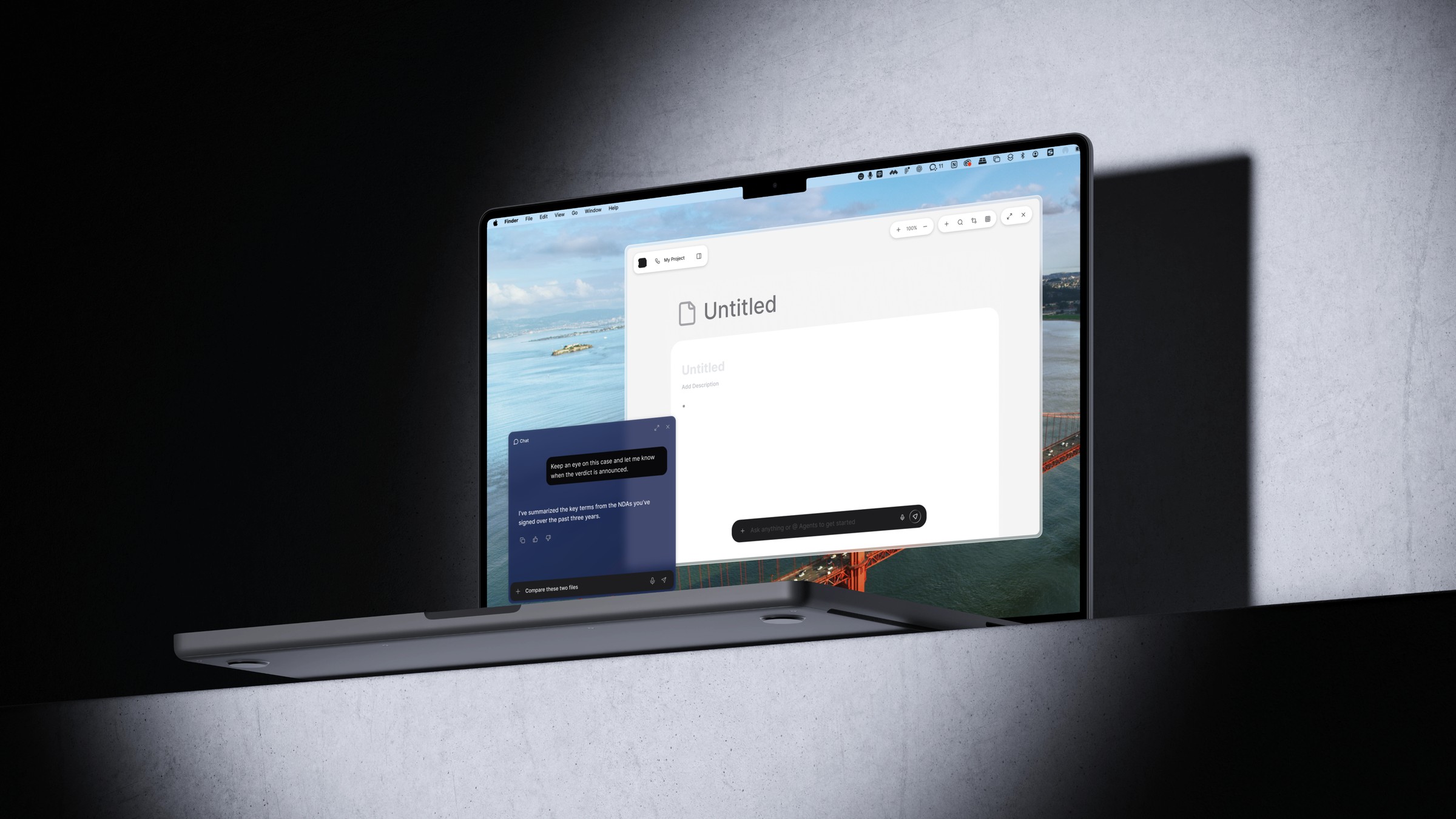
WORKSPACE The workspace on a laptop: a blank document with the AI prompt bar, and the chat panel open beside it

Confidential project. This work is covered by a confidentiality agreement, so I can only show a general view of the product here. If you’d like to know more, get in touch and I’ll share the details directly.

My role

Sole designer, end to end

I own the product’s design from start to finish: information architecture, user flows, high-fidelity UI, the design system, the logo and the presentation deck.

When I joined, the team already had a design from a previous designer. They felt it was too flashy for legal work and preferred the simpler, B2B style I proposed, so my first version became the new baseline. I have since led the product through three major redesigns.
How I work

Working closely with product and engineering

From requirements to screens

The PM, who has a legal background, brings requirements to me once the team has aligned on features. Sometimes that’s a wireframe, sometimes a verbal walkthrough or an AI-generated mockup, and I turn it into UI. In meetings I often sketch the flow live on a whiteboard so we agree on it before I design it.

Changing a direction with evidence

When I disagreed with a direction, my opinion alone rarely changed it. Evidence did: screenshots of shipped products that had solved the same problem made my reasoning concrete, and the PM became willing to change course.

A design system built for speed

Instead of building a component library from scratch, we started from shadcn/ui and made it our own: I tuned the colour palette and typography and designed the components it didn’t have, such as rounded buttons and an AI chat suite. Engineers got familiar building blocks, and we moved faster.

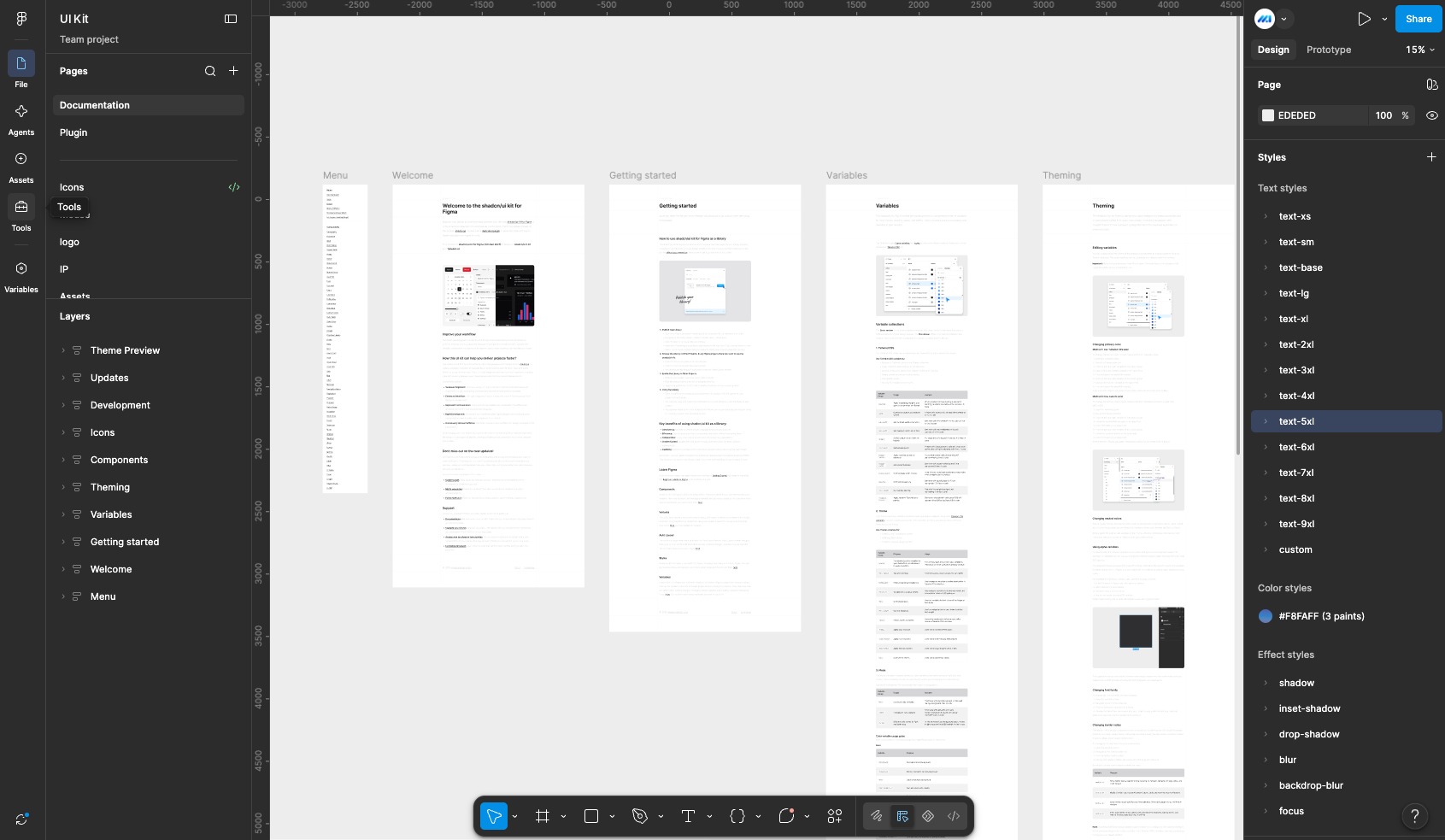
Our UI kit in Figma: documentation pages for the welcome guide, getting started, variables and theming, with the text and colour styles panel

Our UI kit in Figma, built on the shadcn/ui kit: documentation pages for getting started, variables and theming.

Checking the build

After engineers build a screen from my designs, I review it with the PM and send back what needs fixing, so what ships matches the design.

More details

Available on request

Want to see the work? The product and designs are confidential. Get in touch and I’ll share more details directly.

More Projects

Let's start creating together

Let's Talk →
YOU